What Are the Top Types of Interactive Screens in 2026?
FLUID HANDLING EXPERTS

Blog, all our news

What Are the Top Types of Interactive Screens in 2026?

Interactive Screens now shape how people learn, shop, work, and find their way through public spaces. In 2026, the best choice depends less on novelty than on the task, setting, and audience. A bright lobby display must remain readable in changing light; a classroom screen needs responsive touch and clear writing tools. Fit matters more. Jakob Nielsen, a leading usability expert, defines usability this way: “Usability is a quality attribute that assesses how easy user interfaces are to use.” That principle is a useful test for every screen type, though it cannot capture every practical concern.

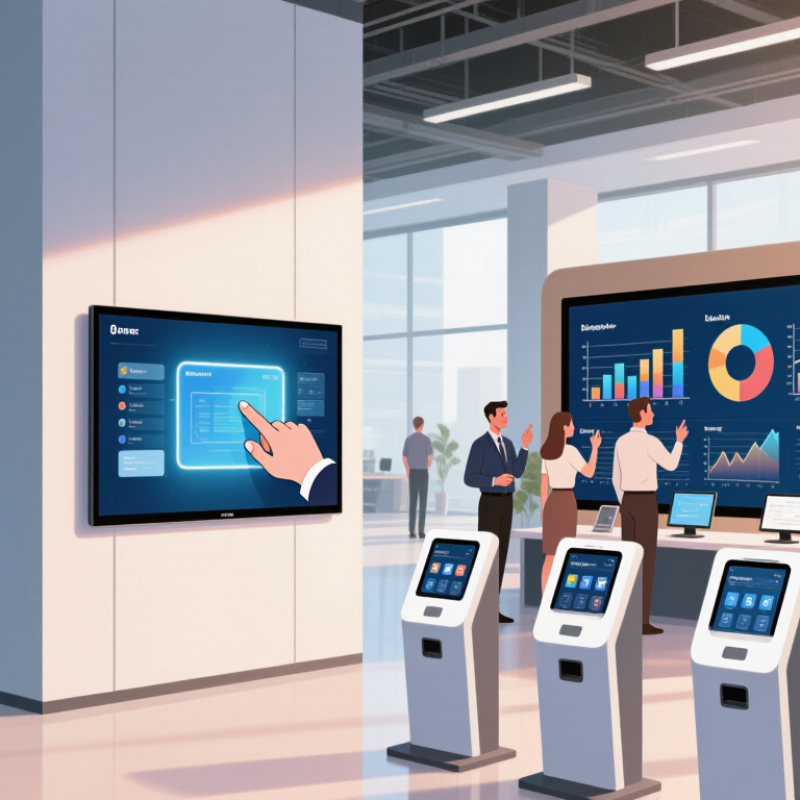
This guide examines the main options: interactive flat panels for classrooms and meeting rooms, self-service kiosks for transactions and wayfinding, touch-enabled video walls for shared information, and transparent or flexible displays for more specialized settings. Each offers different strengths. Kiosks can reduce queues, but confusing menus can create new friction. Video walls attract attention, yet they may be excessive where a simple panel would work. We’ll compare touch response, visibility, durability, accessibility, connectivity, and maintenance—not just screen size or resolution. Some newer formats are promising, but their value depends on real-world use, not impressive demonstrations. The aim is a grounded overview, not a universal ranking. A screen is only useful when people can operate it confidently.
What Are the Top Types of Interactive Screens in 2026?

How Interactive Screens Are Defined and Classified in 2026

In 2026, an interactive screen is best defined by what users can do with it, not by its size. A display qualifies when it accepts input through touch, a stylus, gesture, or connected controls, then responds visibly. That response might open a menu, mark up a floor plan, or update a shared dashboard. Simple. For classification, separate input method from form factor and setting. Common types include classroom and meeting-room panels, self-service kiosks, touch tables, and collaborative walls. Boundaries remain fuzzy. Some systems combine several input methods, while glare, user reach, and room layout can change which one works well.

Grand View Research estimated the global interactive display market at USD 45.88 billion in 2023. Its market analysis forecast an 8.6% compound annual growth rate from 2024 to 2030. This signals expanding investment, but it does not establish a universal ranking of screen types. Classify a device by its main task: wayfinding, hands-on learning, or group annotation. Then assess response speed, visibility, and ease of use. Real rooms are messier than specification sheets. A technically interactive panel can still feel passive when its controls are awkward or its interface is difficult to reach.

What Sets Interactive Touch Displays Apart

Interactive touch displays differ from ordinary screens because they turn viewing into direct action. A user can enlarge a diagram, move a map, or write notes without a mouse. This immediacy is useful in classrooms, design reviews, clinics, and public information spaces. The feel depends on more than a responsive panel. Touch accuracy, low input delay, palm rejection, and support for several users all shape whether interaction feels natural. Small details matter. A stylus that skips near the screen edge can interrupt a lesson. Strong glare can make a sharp display difficult to read.

Common configurations in 2026 include interactive whiteboards, large-format flat panels, and self-service kiosks. Their roles differ, but shared displays should handle repeated taps, varied hand sizes, and accessible controls. In a meeting room, for example, one person might annotate a floor plan while another zooms in. That sounds simple. Yet software compatibility and screen placement often determine whether people use the touch features at all. Check viewing height, cleaning needs, connection options, and glare in the actual room. A bright showroom demonstration may hide reflections or awkward reach. A practical evaluation should test a real task, not just a few colorful icons.

How Interactive Whiteboards Support Collaborative Work

Interactive whiteboards turn a meeting wall into a shared working surface. Participants can sketch workflows, move digital sticky notes, and revise diagrams together instead of passively watching slides. Small details matter: a legible 4K display, responsive touch, and wireless sharing that works without setup delays. In practice, the best screen is one everyone can use.

Access can shape participation. The 2022 Work Trend Index reported that 43% of remote employees and 44% of hybrid employees felt excluded from meetings. A shared digital canvas gives remote colleagues a visible place to add ideas, while people in the room annotate the same work. It is not a cure.

For collaborative work, look for multi-user touch, handwriting recognition, searchable saved boards, and simple export options. These features help teams keep decisions after the room clears. Yet a large screen can still become a lecturer’s podium if one person controls it. Rotate facilitation, invite silent annotation, and leave time for everyone to review the board. This takes practice.

Where Interactive Kiosks and Self-Service Screens Are Used

Interactive kiosks are most useful when they remove a small point of friction. In retail stores, shoppers can check stock, compare product details, or find an aisle without waiting for assistance. At a grocery checkout, a clear screen and reachable card reader can make a quick basket easier to process. Small details matter. So does placement.

Airports and transit stations use self-service screens for ticket purchases, check-in, and directions. Travelers often have bags in hand and little time, so large touch targets and simple language help. Hotels may offer check-in kiosks for guests arriving late, while clinics can use them for appointment check-in or updating basic details. A screen should not expose personal information to people standing nearby. Privacy needs attention.

Restaurants and campuses also use ordering and information kiosks, especially during busy periods. Yet adding a screen does not automatically improve service. If menus are hard to navigate, or the device is out of reach, people may need staff anyway. That is not a failure of the user. Operators should test screens with different users, keep instructions readable, and check that printers, scanners, and touch controls work reliably. A helpful kiosk supports human service; it does not replace every conversation.

How Interactive Video Walls Enable Shared Experiences

Interactive video walls turn a large display into a shared activity, not just a bigger screen. In a museum, visitors might move colored shapes across a projected map. In a conference space, people can add questions to a live discussion board. Each person contributes, while the group sees the result change in real time.

That shared view matters. People can point, compare ideas, and respond to one another without crowding around a small device. Touch, motion, or mobile input can make participation easier, but the interaction should stay clear from a few steps away. Use large visual cues, readable text, and brief instructions. Keep a non-touch option available. Not everyone wants to step forward.

Good installations also depend on practical details: viewing distance, room lighting, network reliability, and content moderation. Test with several people using the screen at once. Check whether someone at the edge can still follow the activity. A wall that reacts instantly feels inviting; even a short delay can make a group hesitate. That part is easy to underestimate. And sometimes a simple shared prompt works better than a clever interface.

Interactive Screen Setups: Panel Counts for Shared Experiences

A video wall combines display panels into one shared visual surface. Panel counts below are calculated from each layout’s rows × columns.

Panel count describes the physical layout, not screen size, resolution, or market share.

Copyright 2025 Fluidra S.A. | Created by BCM Marketing Agencia Privacy Policy Legal note | Cookie policy |

Technical cookies are strictly necessary for our website to work and you can navigate through it. These types of cookies are those that, for example, allow us to identify you, give you access to certain restricted parts of the page if necessary, or remember different options or services already selected by you, such as your privacy preferences. Therefore, they are activated by default, your authorization not being necessary in this regard. Through the configuration of your browser, you can block or alert the presence of this type of cookies, although such blocking will affect the proper functioning of the different functionalities of our website.


The analysis cookies allow us to study the navigation of the users of our website in general (for example, which sections of the page are the most visited, which services are used most and if they work correctly, etc.). From the statistical information on navigation on our website, we can improve both the operation of the page itself and the different services it offers. Therefore, these cookies do not have an advertising purpose, but only serve to make our website work better, adapting to our users in general. By activating them you will contribute to this continuous improvement. You can enable or disable these cookies by checking the corresponding box, being disabled by default.


Functionality cookies allow us to remember your preferences, to personalize certain characteristics and general options of our website, every time you access it (for example, the language in which the information is presented to you, the sections marked as favorites, your browser type, etc.) Therefore, this type of cookies does not have an advertising purpose, but by activating them you will improve the functionality of the website (for example, adapting to your type of browser) and the customization of it based on your preferences (for example, by presenting the information in the language that you have chosen in previous occasions), which will contribute to the ease, usability and comfort of our page during your navigation. You can enable or disable these cookies by checking the corresponding box, being disabled by default.


Advertising cookies allow us to manage the advertising spaces included in our website based on criteria such as the content shown or the frequency in which the ads are displayed. For example, if you have been shown the same ad several times on our website, and you have not shown a personal interest by clicking on it, it will not appear again. In summary, by activating this type of cookies, the advertising shown on our website will be more useful and diverse, and less repetitive. You can enable or disable these cookies by checking the corresponding box, being disabled by default.


Behavioral advertising cookies allow us to obtain information based on the observation of your browsing habits and behaviors on the web, in order to show you advertising content that best suits your personal tastes and interests. To understand it in a very simple way, we will give you a fictitious example: if your last searches on the web were related to suspense literature, we would show you advertising about suspense books. Therefore, activating this type of cookies, the advertising that we show you on our website will not be generic, but will be oriented to your searches, tastes and interests, therefore adjusting exclusively to you. You can enable or disable these cookies by checking the corresponding box, being disabled by default.
To understand it in a very simple way, we will give you a fictitious example: if your last searches on the web were related to suspense literature, we would show you advertising about suspense books. Therefore, activating this type of cookies, the advertising that we show you on our website will not be generic, but will be oriented to your searches, tastes and interests, therefore adjusting exclusively to you. You can enable or disable these cookies by checking the corresponding box, being disabled by default.

SAVE

We use our own and third-party cookies to ensure the proper functioning of the website and to analyse our services, improve your experience on our website and show you advertisements related to your interests according to profiling based on your browsing habits (e.g. websites visited). You can accept all cookies by clicking "ACCEPT" or set or reject them by clicking here. If you would like to know more about the use of cookies, please see our COOKIE POLICY.


ACCEPT ALL
Reject no essentials