A dependable receipt printer rarely gets noticed. A jammed one does. In a busy café, a clear ticket must emerge quickly, even when orders stack beside the register. Choosing a POS 80mm Printer is therefore more than comparing speed claims. Paper loading, cutter life, connection options, driver support, and service access all shape daily performance.
Management expert Peter Drucker wrote, “The purpose of business is to create and keep a customer.” That principle offers a useful lens for evaluating checkout hardware: a printer should support a smooth, reliable customer experience. Drucker was not a printer-industry specialist, so this is business guidance, not a technical endorsement. Technical claims should still be checked against manufacturer specifications and real operating needs.
This guide examines ten POS 80mm Printer options for businesses in 2026, focusing on practical fit rather than headline numbers alone. It considers busy counters, compact workspaces, and systems that need flexible connectivity. A fast print speed can help. So can simple paper replacement at closing time. But no single model suits every shop, and product details can change. Check compatibility with your point-of-sale software before buying. The comparison also leaves room for a useful doubt: advertised performance may not reflect the noise, upkeep, or support experience of a real checkout. Shortlist carefully. Test where possible.
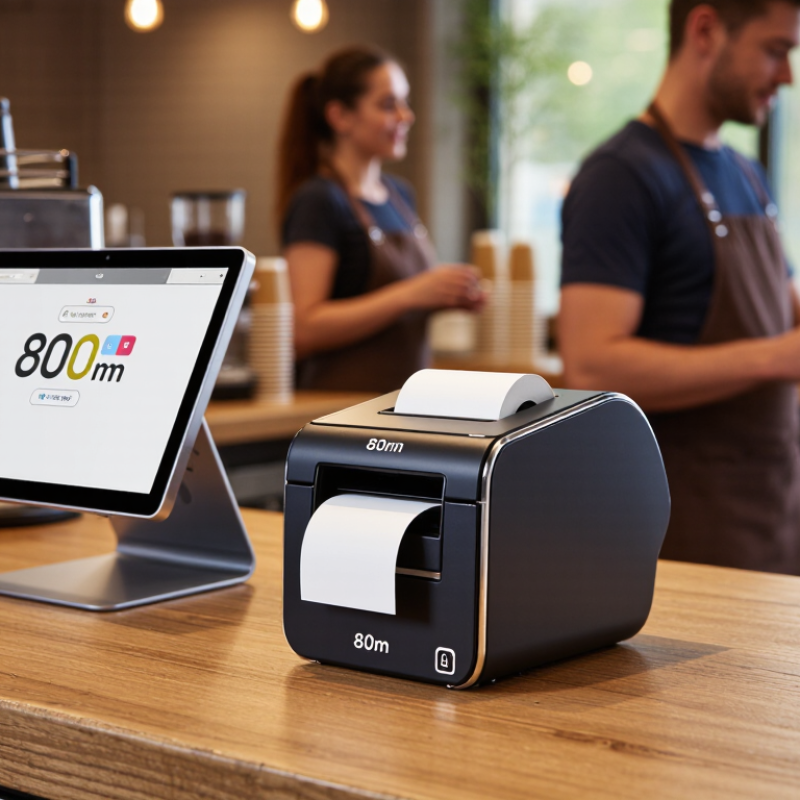
An 80mm POS printer produces receipts on paper roughly eight centimeters wide, giving businesses room for readable item descriptions, prices, tax details, and return information. At a busy counter, a cashier can tear off a receipt while the next order is being entered. That small handoff matters. The Federal Reserve’s 2023 Diary of Consumer Payment Choice reported that cash accounted for 18% of consumer payments in 2022, so printed receipts remain useful alongside digital payment records. They help customers check purchases and give staff a clear record when questions arise.
Thermal models are common because they print without ink cartridges, reducing routine supply changes. Grand View Research valued the global thermal paper market at about USD 4.3 billion in 2023 and forecast growth through 2030, reflecting demand across receipt-based applications. For a business, the right printer is not simply the fastest one. Check that its paper width fits the counter workflow, its connection works with the POS system, and its daily print volume suits the queue. A narrow counter may benefit from a compact body; a food-service station may need quick, consistent output. No one likes reprints. Still, paper receipts can fade, and an 80mm format does not guarantee a clear layout. Testing real receipts during peak hours is a practical step—and one businesses sometimes overlook.
These are unbranded printer profiles, not specific product models. Specifications describe common 80mm thermal POS configurations; actual performance and compatibility vary by device and setup.
| # | Printer Profile | Print Technology | Typical Print Speed | Typical Resolution | Paper and Print Width | Common Connectivity | Typical Features | Suitable Business Use |
|---|---|---|---|---|---|---|---|---|
| 1 | Entry-Level Counter Profile | Direct thermal | 約 150–200 mm/s | Typically 203 dpi | Up to 80 mm roll; about 72 mm printable width | USB; some configurations add serial | Basic receipt printing; manual tear bar or optional cutter | Small shops with low to moderate receipt volume |
| 2 | Compact Space-Saving Profile | Direct thermal | 約 150–250 mm/s | Typically 203 dpi | 80 mm roll; print width commonly 72–72.5 mm | USB; optional Bluetooth on some configurations | Small desktop footprint; front or top paper loading, depending on design | Kiosks, food counters, and checkout areas with limited space |
| 3 | Standard USB Counter Profile | Direct thermal | 約 200–250 mm/s | Typically 203 dpi | Up to 80 mm roll; about 72 mm printable width | USB; optional serial interface | Common POS command support; cutter offered on many models | Retail tills and service counters using a directly connected POS terminal |
| 4 | Networked Ethernet Profile | Direct thermal | 約 200–250 mm/s | Typically 203 dpi | Up to 80 mm roll; about 72 mm printable width | Ethernet; USB often included | Shared network printing; cutter commonly available | Multi-terminal stores and counters managed over a local network |
| 5 | High-Throughput Checkout Profile | Direct thermal | 約 250–300 mm/s | Typically 203 dpi | Up to 80 mm roll; about 72 mm printable width | USB and Ethernet; interface options vary | Automatic cutter; designed for frequent receipt cycles | Busy supermarkets, convenience stores, and high-traffic checkout lanes |
| 6 | Wireless Counter Profile | Direct thermal | 約 150–250 mm/s | Typically 203 dpi | Up to 80 mm roll; about 72 mm printable width | Wi-Fi or Bluetooth, depending on configuration; USB may also be available | Cable-reduced installation; wireless setup and range depend on the network | Pop-up counters, flexible service desks, and tablet-based POS setups |
| 7 | Kitchen Order Profile | Direct thermal | 約 150–250 mm/s | Typically 203 dpi | Up to 80 mm roll; about 72 mm printable width | Ethernet or USB; interface depends on the POS setup | Often configured for order-ticket printing and audible alerts; confirm environmental protection before kitchen use | Restaurants and food-service operations printing kitchen tickets |
| 8 | Tablet POS Compatibility Profile | Direct thermal | 約 150–250 mm/s | Typically 203 dpi | Up to 80 mm roll; about 72 mm printable width | Bluetooth or Wi-Fi; verify operating-system and app support | Wireless pairing; compatibility depends on printer drivers and POS software | Cafés, salons, and small retailers using tablet-based POS systems |
| 9 | Dual-Interface Deployment Profile | Direct thermal | 約 200–250 mm/s | Typically 203 dpi | Up to 80 mm roll; about 72 mm printable width | USB plus Ethernet or serial, depending on configuration | Offers more connection choices for installation and replacement planning | Businesses with mixed POS hardware or planned system upgrades |
| 10 | High-Volume Multi-Station Profile | Direct thermal | 約 250–300 mm/s | Typically 203 dpi | Up to 80 mm roll; about 72 mm printable width | Ethernet and USB; options vary by configuration | Automatic cutter and network integration; check duty-cycle specifications for the intended workload | Busy hospitality venues and retailers with several receipt-printing stations |
Note: 80mm refers to the nominal paper-roll width. Many printers use a printable width of roughly 72 mm. Confirm supported paper sizes, interface requirements, drivers, command languages, cutter specifications, and POS software compatibility before purchase. Speed figures are typical ranges and may vary with content, settings, and connection type.

Cepex is the brand for the fluid handling market belonging to the Fluidra group. One of the leading european manufacturer of valves and fittings in thermoplastic materials.
Dedicated to the swimming pool, irrigation and industrial markets, we distribute our products worldwide with the Fluidra commercial network and presence in 46 countries with 136 sales branches.